Operations
System health diagnostics and signing key rotation.
The Operations sidebar group has two pages: System Health (/operations/health) and
Signing Keys (/operations/signing-keys).
System Health
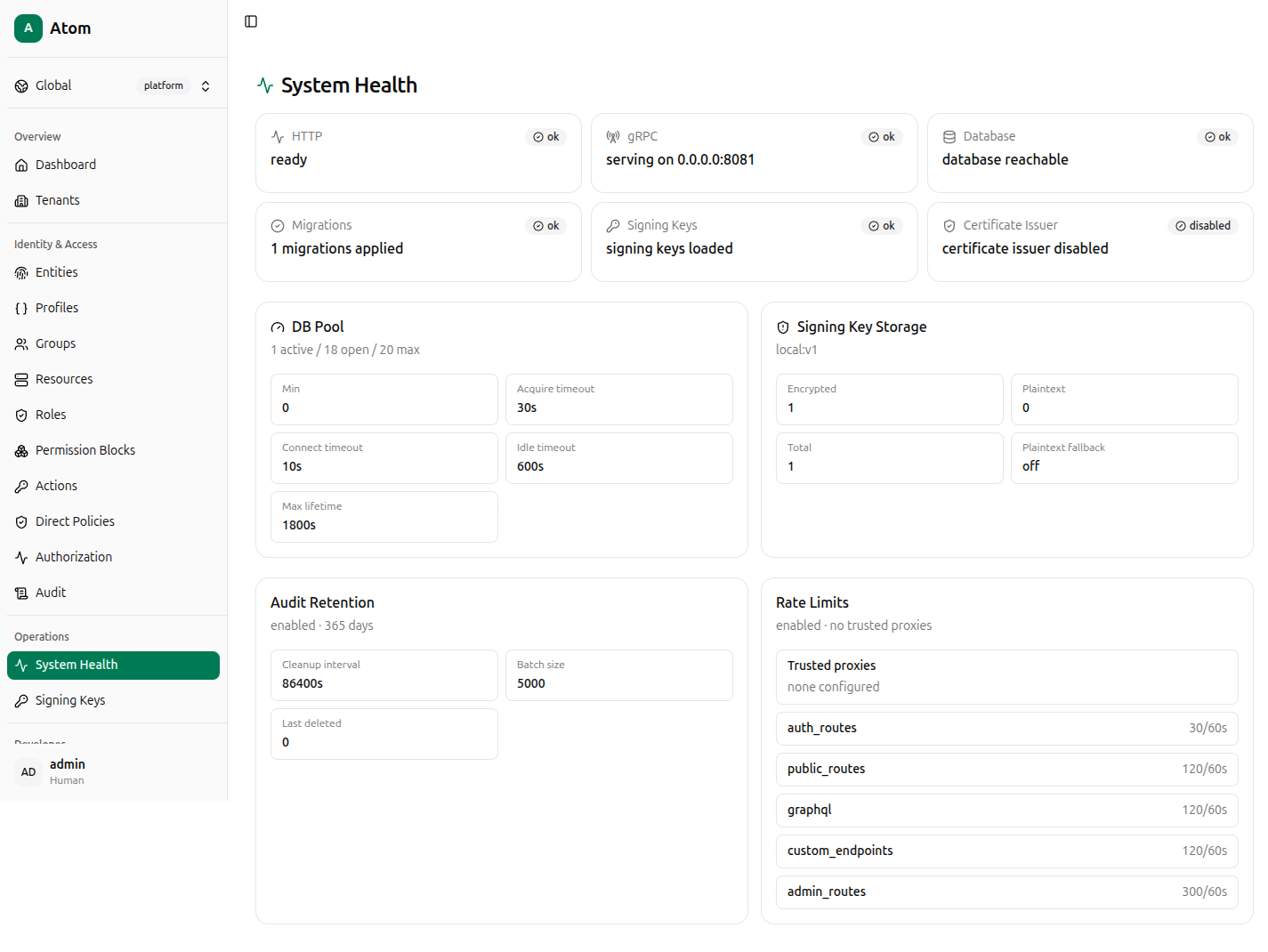
A read-only diagnostics dashboard, useful for confirming a deployment is fully healthy before relying on it, or for triaging an incident.
Component status — each shown as ok/disabled with a one-line detail: HTTP
(ready), gRPC (serving address), Database (database reachable), Migrations
(count applied), Signing Keys (signing keys loaded), Certificate Issuer (disabled
if certificates aren't configured — see Certificates).
DB Pool — active/open/max connection counts, plus configured Min, Acquire timeout, Connect timeout, Idle timeout, and Max lifetime.
Signing Key Storage — the storage backend identifier (for example local:v1), counts of
Encrypted vs Plaintext keys, Total, and whether Plaintext fallback is on —
this should read off in any environment holding real secrets.
Audit Retention — whether retention is enabled, the window in days, Cleanup interval, Batch size, and Last deleted row count — the same figures summarized on Audit.
Rate Limits — whether enabled, trusted proxy configuration, and the per-route-class
limits (auth_routes, public_routes, graphql, custom_endpoints, admin_routes) as
requests-per-window pairs.
Atom trusts X-Forwarded-For/X-Real-IP for rate-limiting only when the immediate peer is
inside ATOM_TRUSTED_PROXY_CIDRS. If Trusted proxies reads "no trusted proxies" and you
run Atom behind an ingress or load balancer, requests will be rate-limited by the proxy's IP
rather than the real client — keep this setting empty unless you have such a proxy in front
of Atom.
Signing Keys
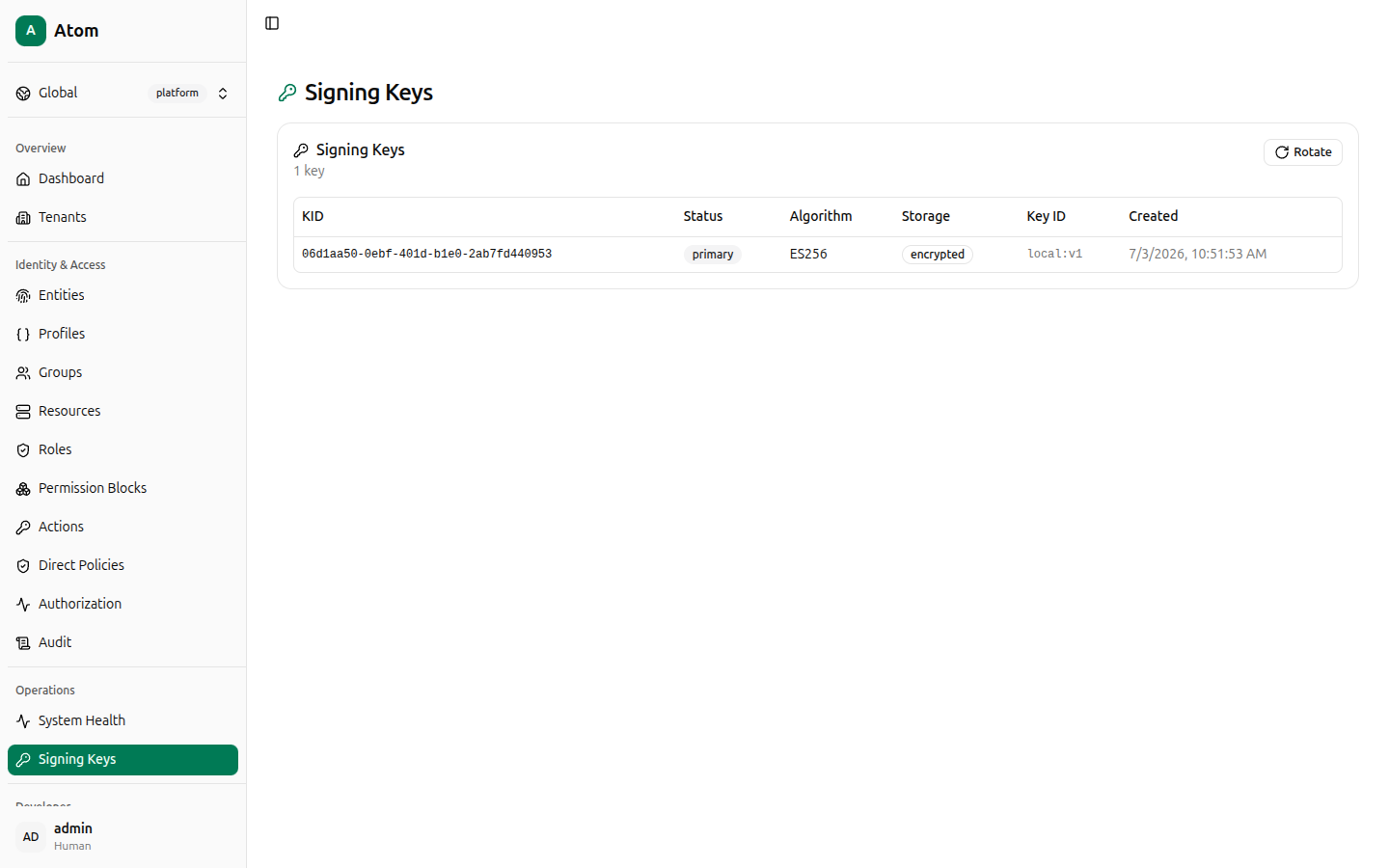
Lists the JWT signing keys Atom holds, used to sign session tokens and verify JWKS requests.
Columns: KID, Status (primary or standby), Algorithm (for example ES256),
Storage (encrypted or plaintext), Key ID (the storage backend reference), and
Created.
Rotate
Click Rotate to generate a new primary key.
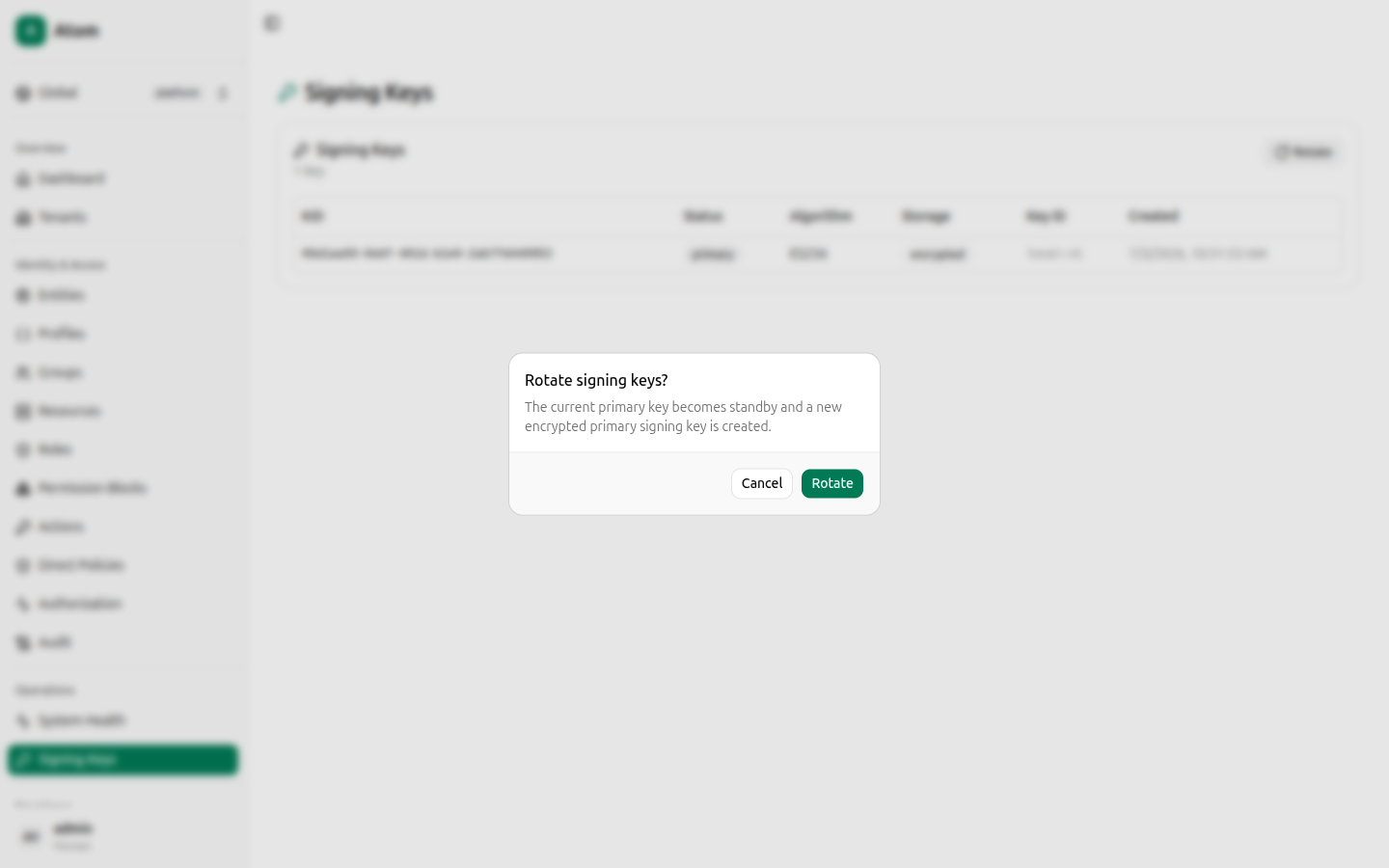
The confirmation dialog explains the effect precisely: the current primary key becomes standby and a new encrypted primary signing key is created. Tokens signed by the previous primary continue to validate (it's now standby, not deleted), so rotation does not immediately invalidate active sessions — it only changes which key signs new tokens going forward.
Rotating signing keys is a real operational action with no undo beyond rotating again — treat the Rotate button on a production instance the same as any other key-management operation you'd want to plan and communicate ahead of time, not something to click while exploring the UI.