Profiles
Schema-backed platform modeling for entities and future object types.
Profiles (/profiles) are reusable templates that shape how entities
(and, in the future, other object types) get created. A profile pins a display name, an
object kind/kind pairing, and one or more versioned JSON Schemas that can drive dedicated form
fields in the entity create dialog instead of raw attributes JSON.
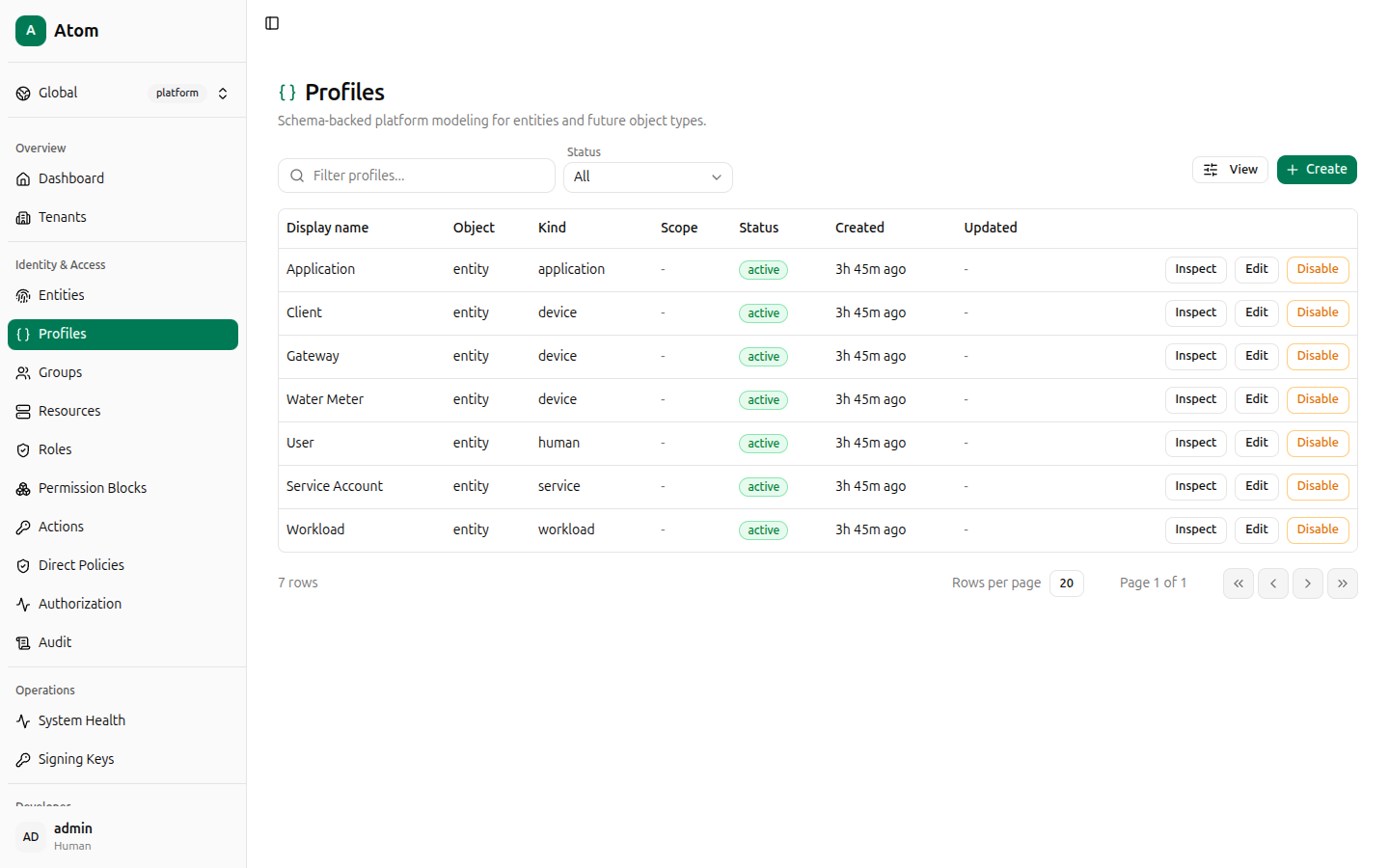
Atom seeds seven platform profiles out of the box — Application, Client, Gateway,
Water Meter, User, Service Account, and Workload — covering the entity
object kind across all five entity kinds.
Profiles table
Columns: Display name, Object, Kind, Scope, Status, Created, Updated.
Create a profile
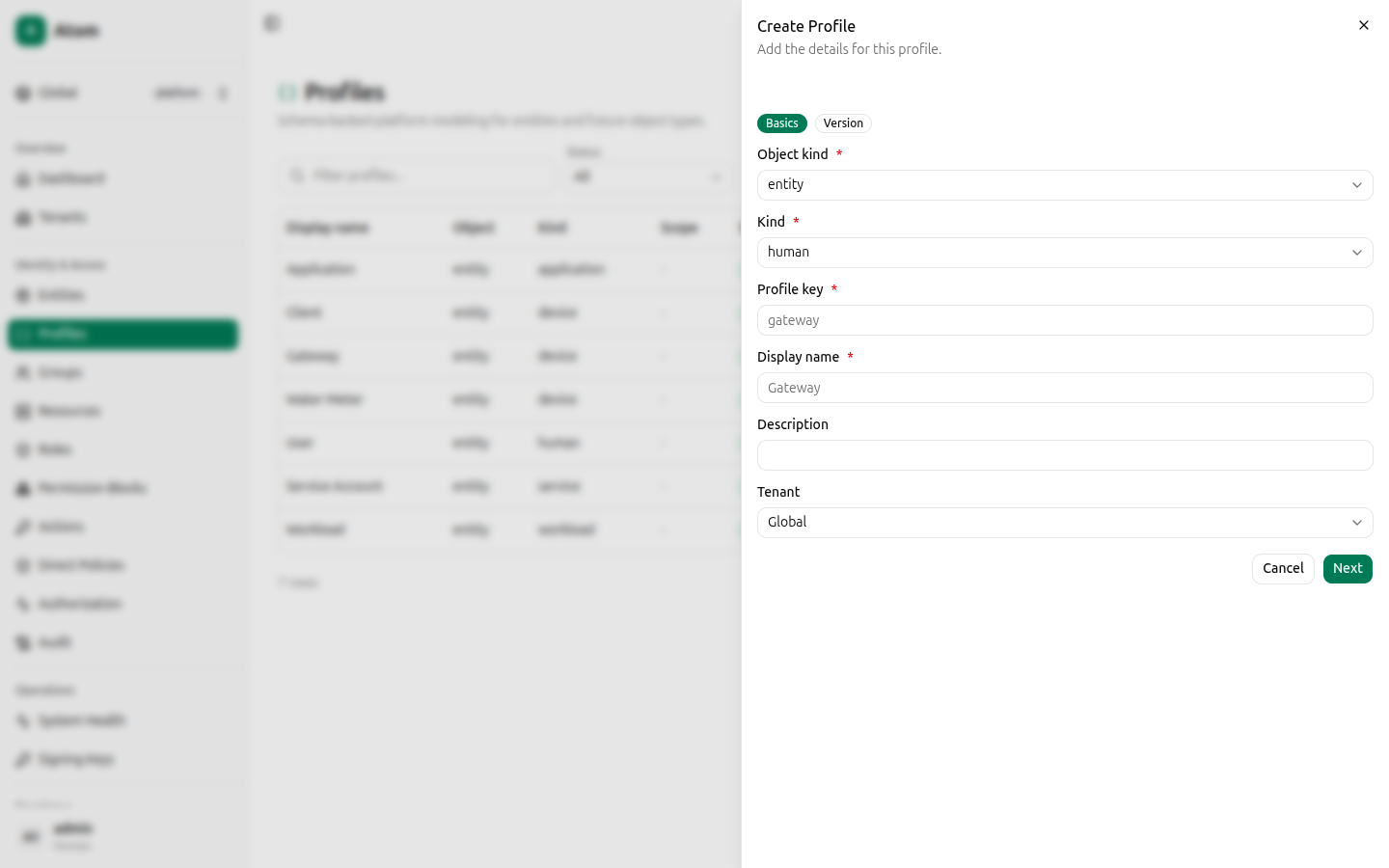
Click + Create. The dialog has two steps, shown as Basics and Version tabs at the top.
Basics:
- Object kind (required) — currently
entity. - Kind (required) —
human,device,service,workload, orapplication. - Profile key (required) — a short machine identifier, for example
vehicle. - Display name (required) — the human-readable name shown in entity create dialogs.
- Description — optional.
- Tenant — defaults to Global.
Click Next.
Version:
- Version — numeric, defaults to
1. - Status —
activeor inactive. - Schema fields — click Add field to define typed fields that generate matching attribute inputs on the entity form, instead of requiring raw JSON.
- JSON schema / UI schema — read-only previews of the schema generated from the fields you add (or hand-edit directly for advanced cases).
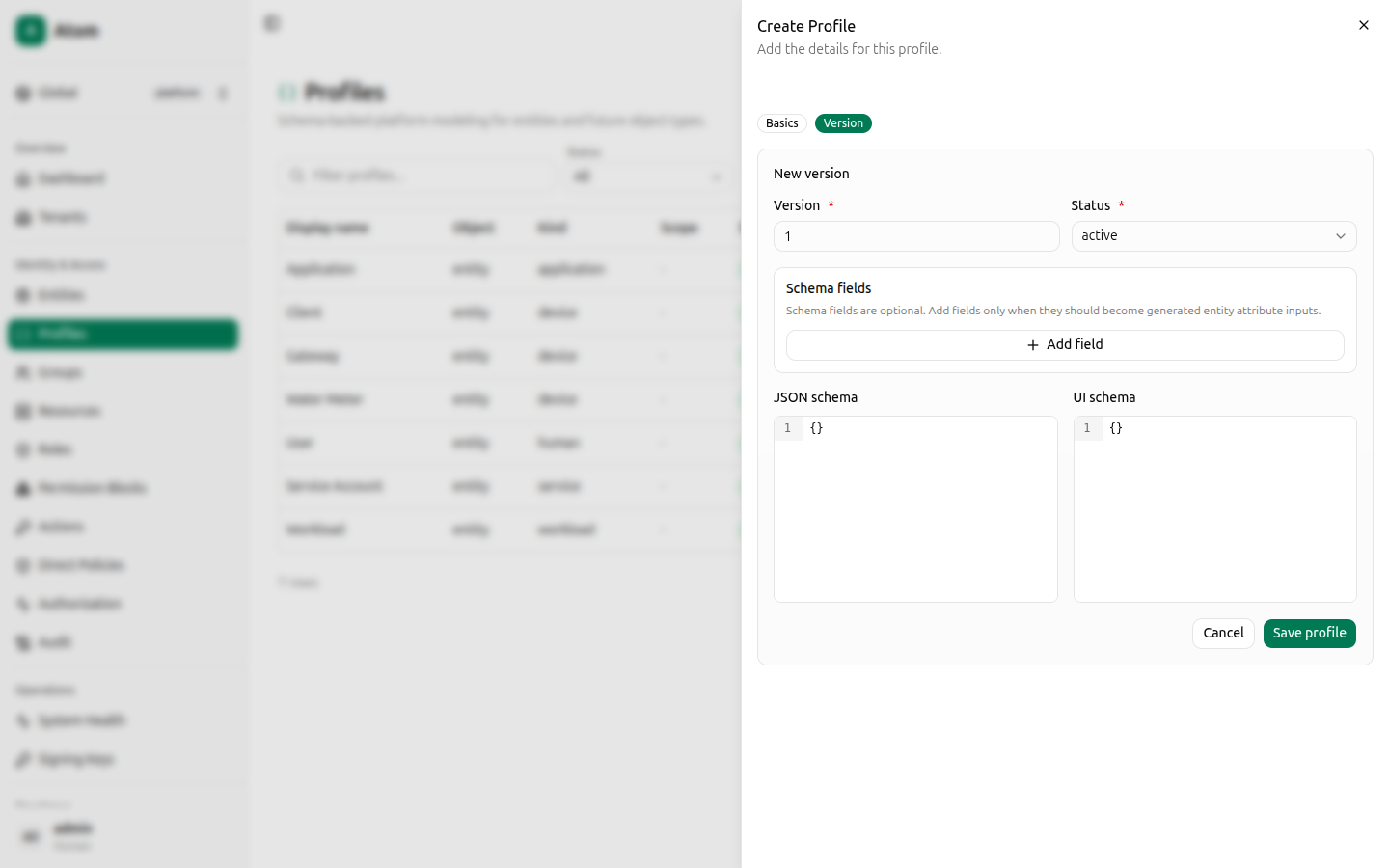
Click Save profile.
Row actions
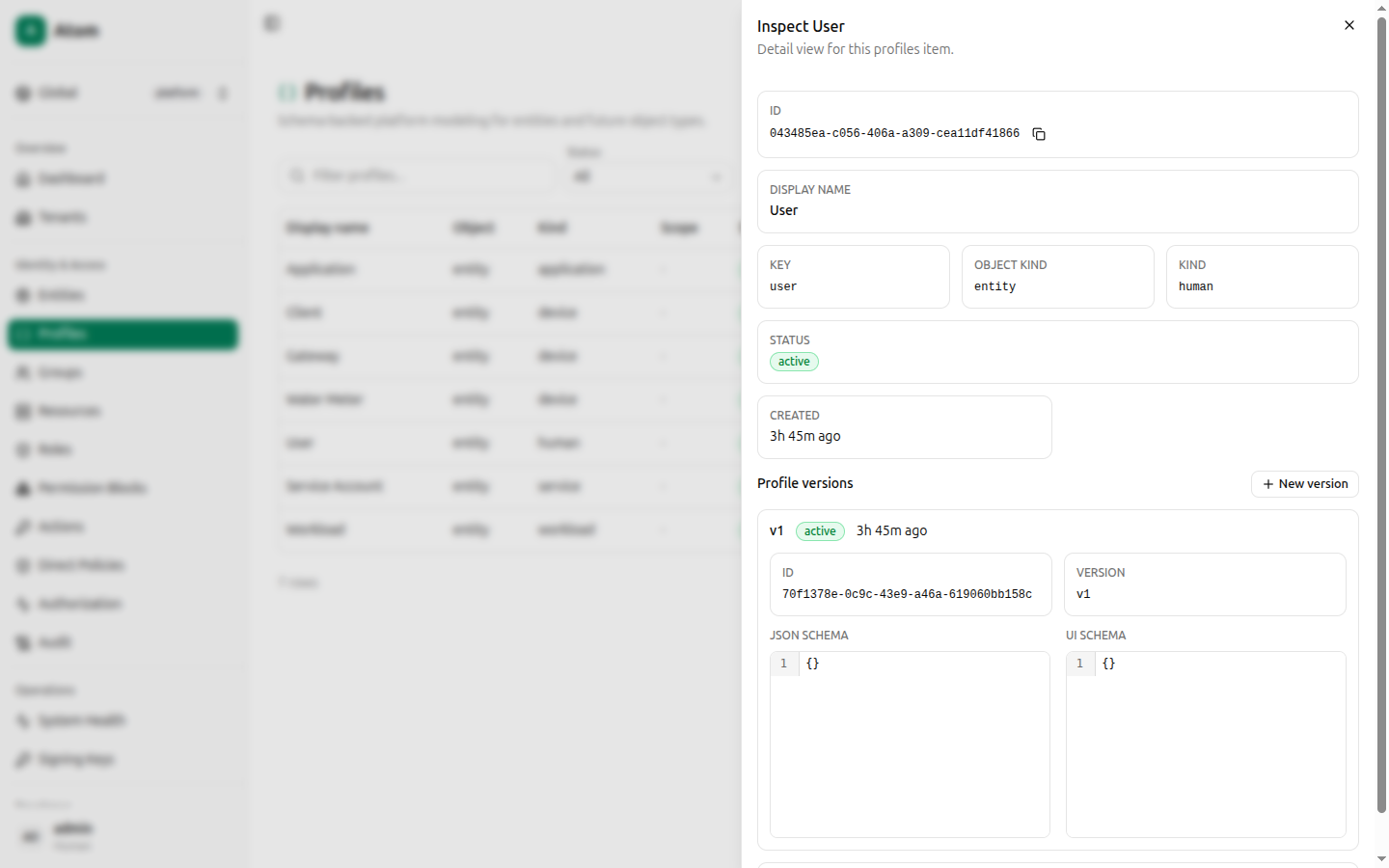
- Inspect — view the profile and its version history.
- Edit — change display name, description, or tenant.
- Disable — deactivate the profile (existing entities keep referencing it; it stops appearing as selectable for new entities).
Inspect
Shows ID, Display name, Key, Object kind, Kind, Status, Created, and a Profile versions list. Each version shows its ID, version number, status, and its JSON schema / UI schema in read-only code viewers. Click New version to add another schema revision without disturbing entities already using the current one.
How profiles connect to entities
When creating an entity, selecting a Profile derives the entity's
internal kind from profile.kind and, if the profile defines schema fields, replaces the
raw Attributes JSON textarea with matching typed inputs. If you omit Profile version,
Atom uses the active/latest version automatically. Authorization always evaluates against the
entity's kind — never against profileId or profileVersionId — so changing a profile's
schema later does not retroactively change what existing entities are allowed to do.